
Home / Help / G-SOFT Restaurant Manager
Topic 6 of 15මාතෘකාව 6 / 15
Tables and QR ordering
Add your tables. Each table has its own QR code: guests scan it with their phone on your Wi-Fi and order from the menu; the order appears on the till.
Step 1 of 2පියවර 1 / 2
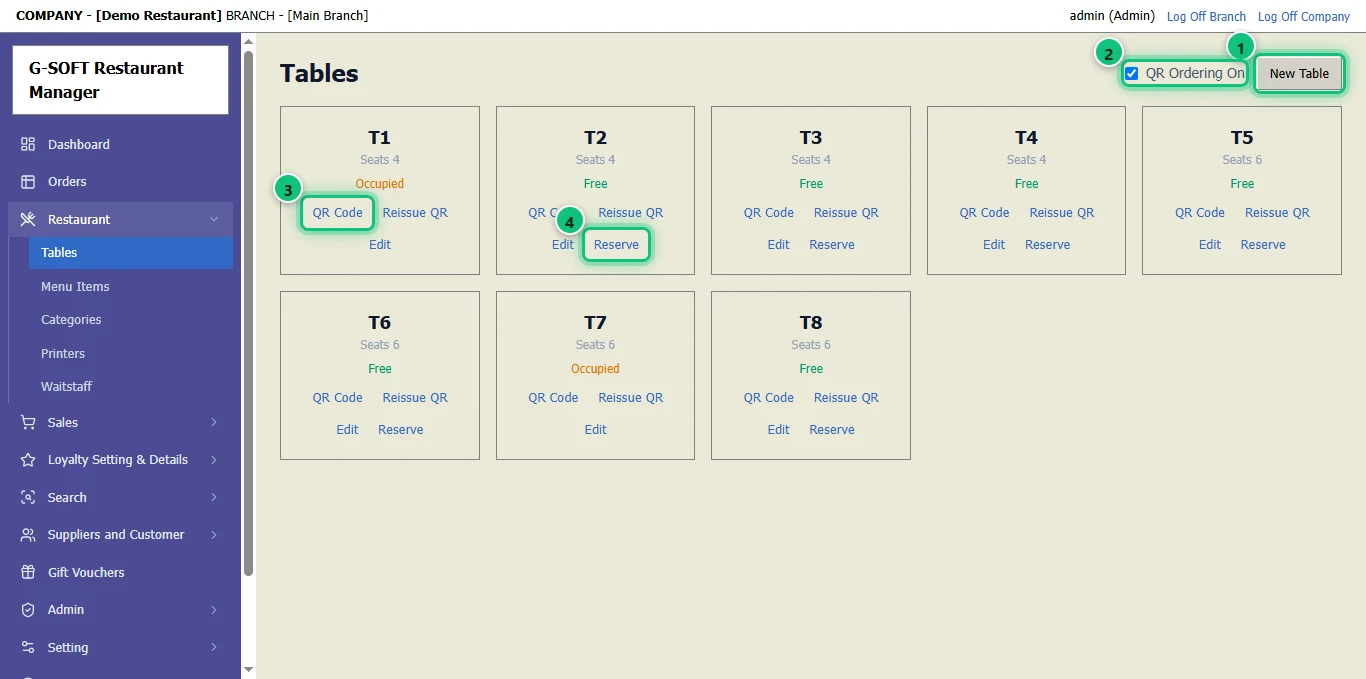
- New Table 1 adds a table with its number and seats.
- QR Ordering On 2 lets guests order from their phones.
- QR Code 3 prints the table’s QR code to stick on the table. Reissue QR makes a new code if an old one was copied.
- Reserve 4 marks a table as booked.
- New Table 1 මේසයක් එහි අංකය සහ ආසන ගණන සමඟ එක් කරයි.
- QR Ordering On 2 අමුත්තන්ට දුරකථනයෙන් ඇණවුම් කිරීමට ඉඩ දෙයි.
- QR Code 3 මේසයේ ඇලවීමට එහි QR කේතය මුද්රණය කරයි. පැරණි කේතයක් පිටපත් වී ඇත්නම් Reissue QR නව කේතයක් සාදයි.
- Reserve 4 මේසයක් වෙන් කළ බව සලකුණු කරයි.
Step 2 of 2පියවර 2 / 2
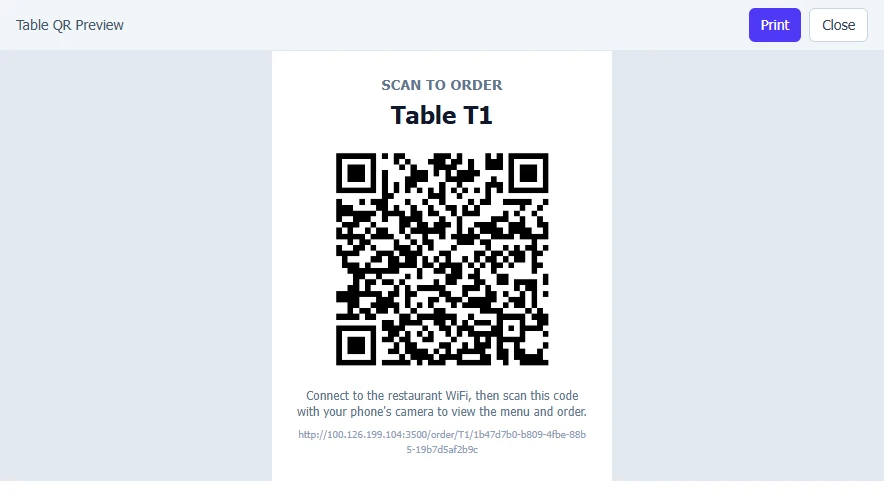
- The table’s QR code, ready to print. Guests on your Wi-Fi scan it, choose dishes and send the order — it appears on the till under that table.
- මුද්රණයට සූදානම් මේසයේ QR කේතය. ඔබේ Wi-Fi හි සිටින අමුත්තන් එය ස්කෑන් කර, කෑම තෝරා ඇණවුම යවයි — එය ටිල් එකේ එම මේසය යටතේ පෙනේ.