
Home / Help / G-SOFT Restaurant Manager
Topic 5 of 15මාතෘකාව 5 / 15
Add a dish to the menu
Add each dish and drink once, with its price and any choices (size, spice, extras).
Step 1 of 3පියවර 1 / 3
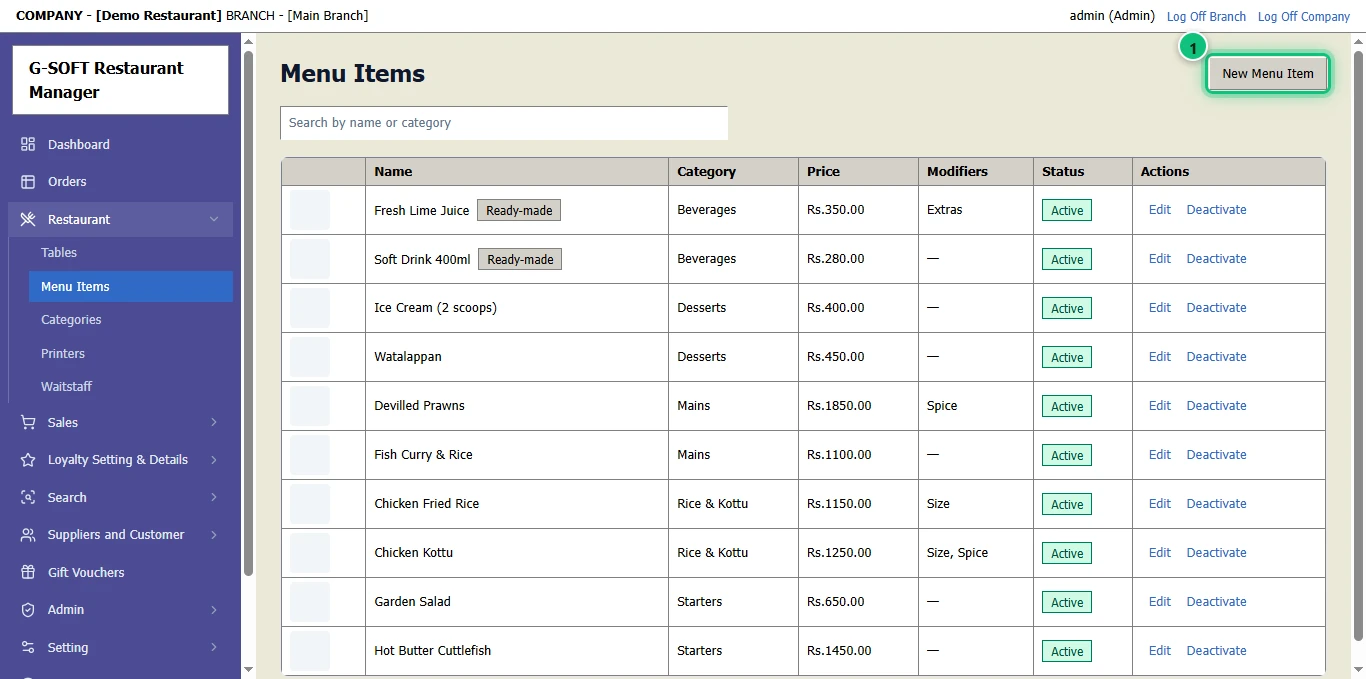
- Open Restaurant → Menu Items.
- Click New Menu Item 1.
- Restaurant → Menu Items විවෘත කරන්න.
- New Menu Item 1 ක්ලික් කරන්න.
Step 2 of 3පියවර 2 / 3
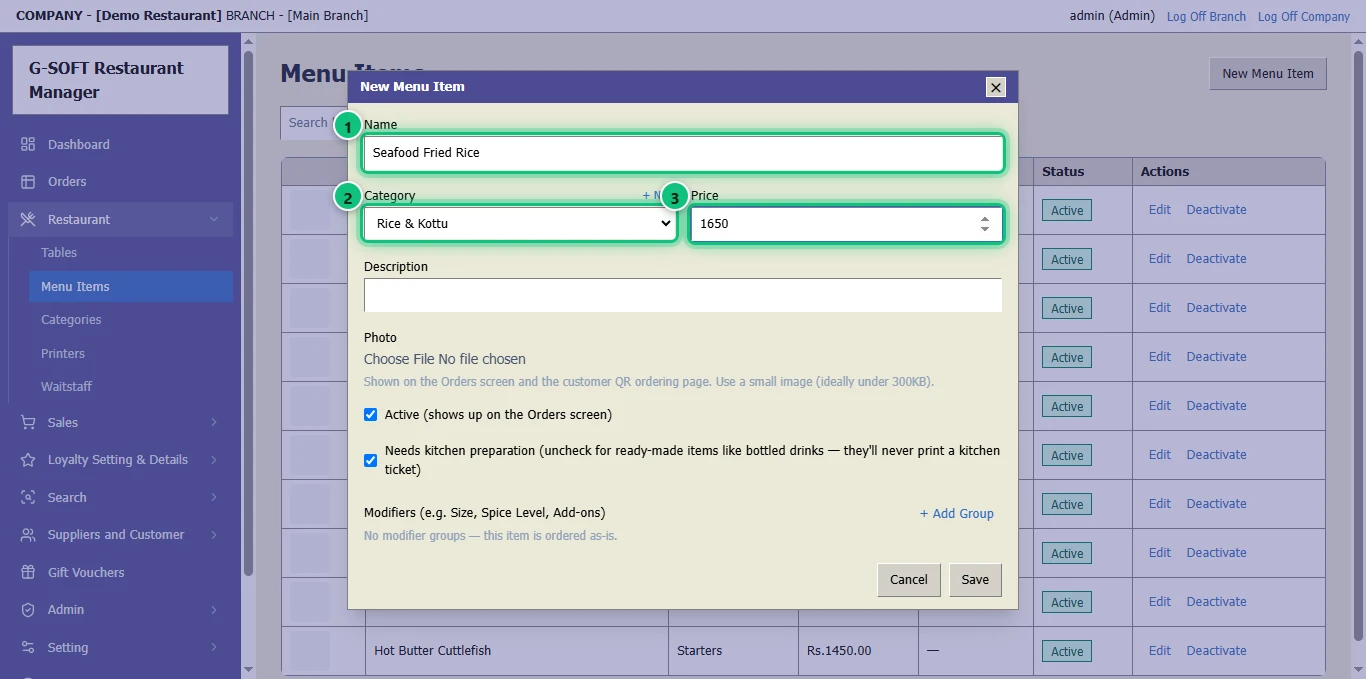
- Type the dish Name 1, choose its Category 2 and type the Price 3.
- A photo is optional. Untick the kitchen-ticket box for items the kitchen does not cook, such as bottled drinks.
- කෑමේ Name 1 ටයිප් කර, එහි Category 2 තෝරා, Price 3 ටයිප් කරන්න.
- ඡායාරූපයක් අත්යවශ්ය නැත. බෝතල් බීම වැනි මුළුතැන්ගෙයි පිසීමට අවශ්ය නැති දෑ සඳහා kitchen-ticket කොටුව ඉවත් කරන්න.
Step 3 of 3පියවර 3 / 3
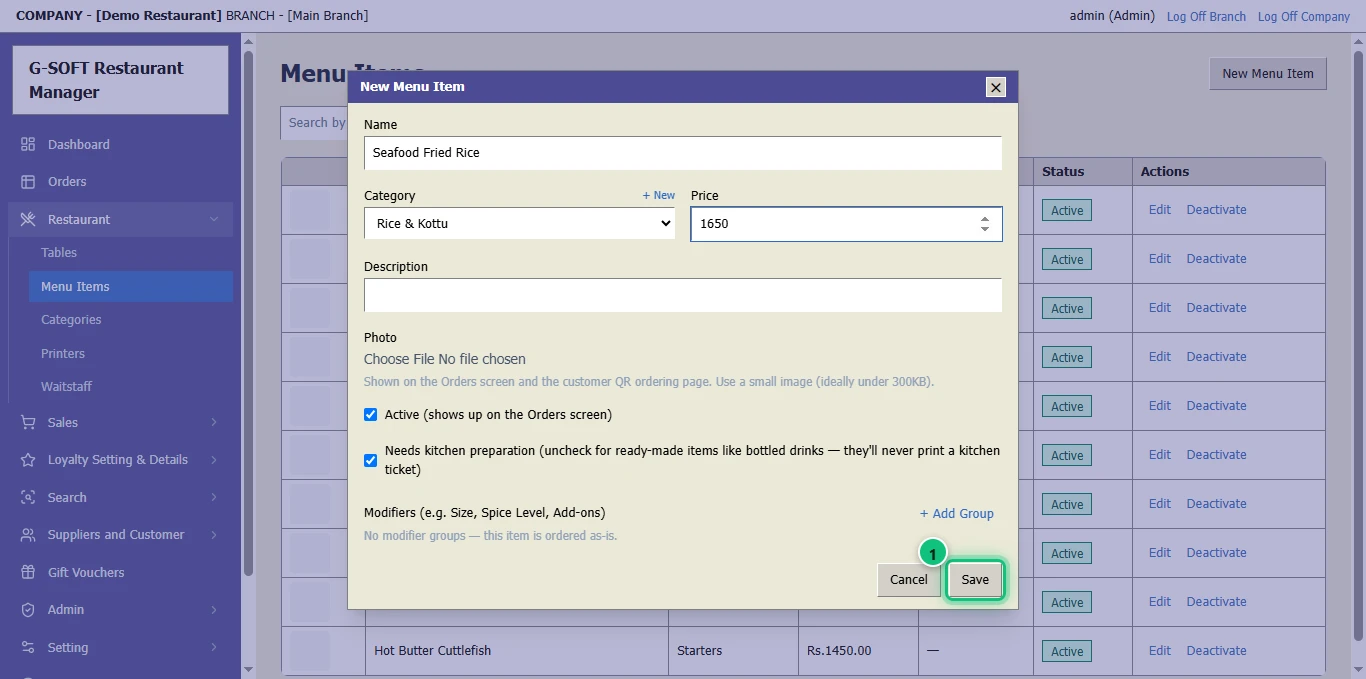
- Choices such as Size or Spice are added as option groups in the same form, each option with its extra price (0 if none). Then click Save 1.
- Size හෝ Spice වැනි තේරීම් එම පෝරමයේම option groups ලෙස එක් කරයි, සෑම තේරීමක්ම එහි අමතර මිල සමඟ (නැත්නම් 0). ඉන්පසු Save 1 ක්ලික් කරන්න.