
Home / Help / G-SOFT Restaurant Manager
Topic 4 of 15මාතෘකාව 4 / 15
Bill a table
When the guests are done, print the bill, take the payment and free the table.
Step 1 of 4පියවර 1 / 4
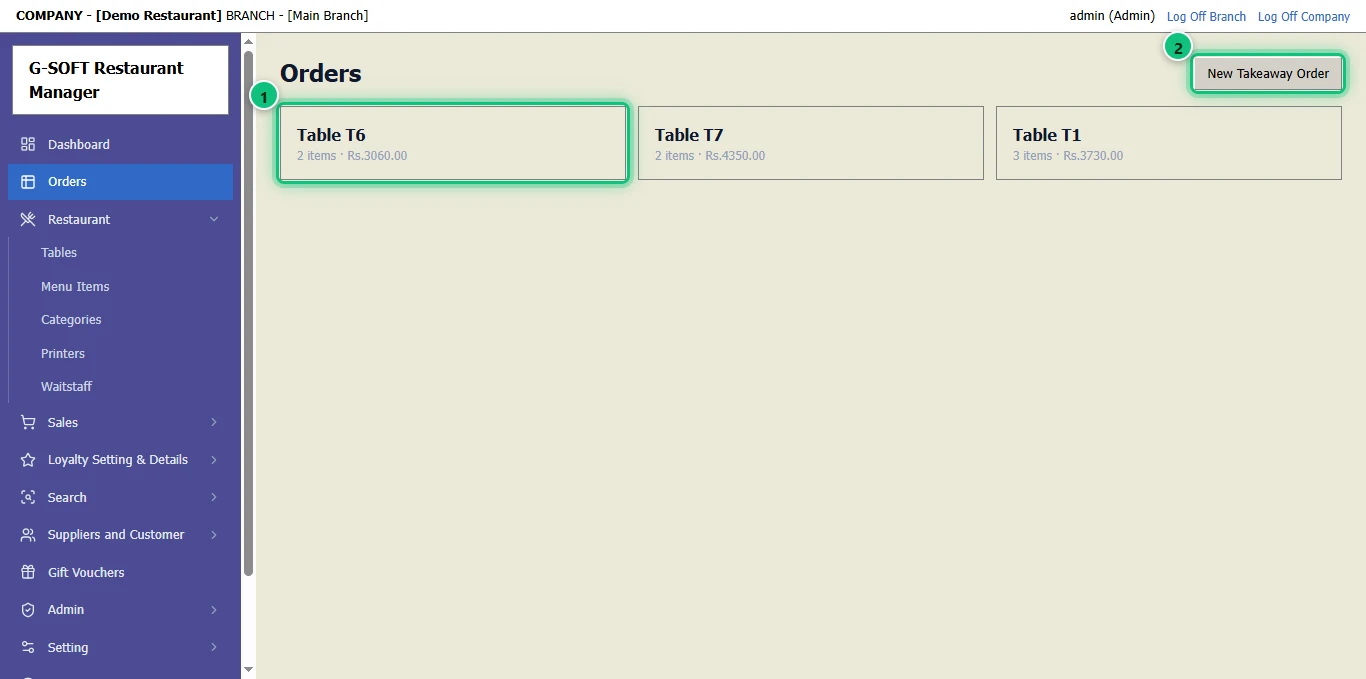
- Open Orders — or press F2. Every table eating now is listed 1 with its items and total. Click the table.
- New Takeaway Order 2 starts an order with no table, for food to take away.
- Orders විවෘත කරන්න — නැතහොත් F2 ඔබන්න. දැන් කන සෑම මේසයක්ම එහි අයිතම සහ මුළු මුදල සමඟ ලැයිස්තුගත වේ 1. මේසය ක්ලික් කරන්න.
- New Takeaway Order 2 මේසයක් නැති, රැගෙන යන කෑම සඳහා ඇණවුමක් ආරම්භ කරයි.
Step 2 of 4පියවර 2 / 4
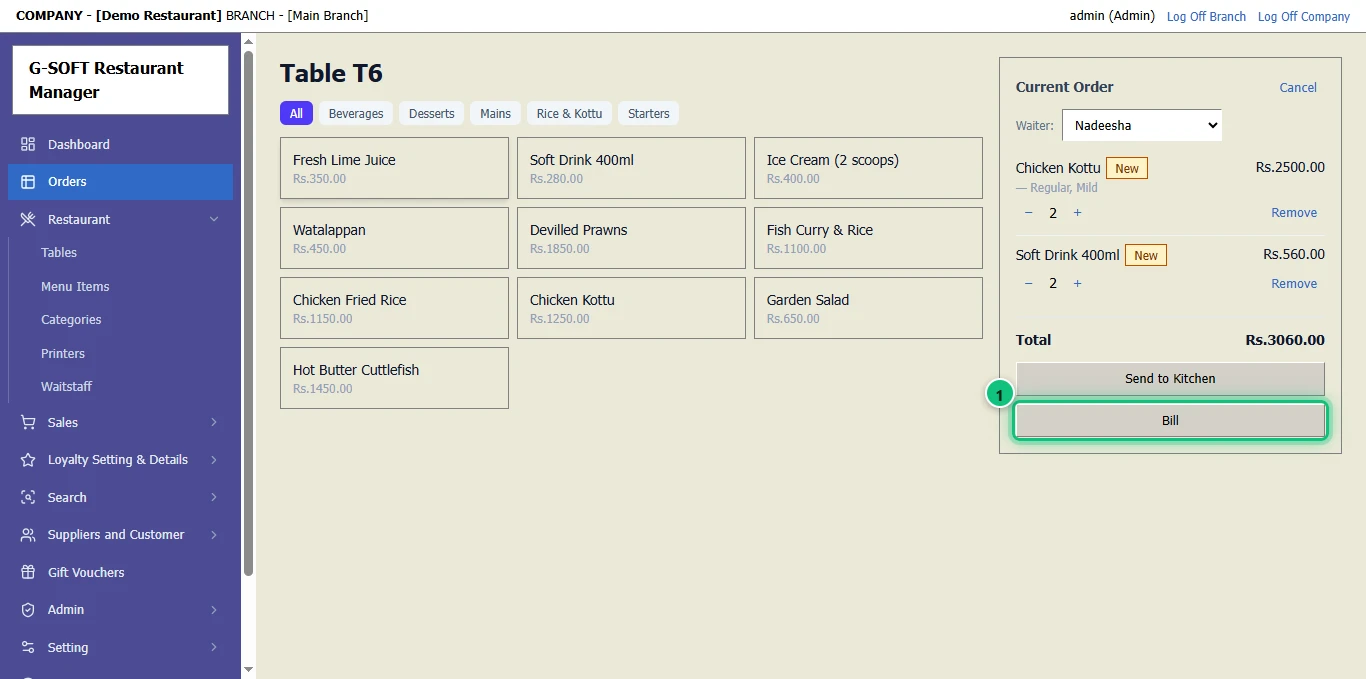
- Check the order and click Bill 1.
- ඇණවුම පරීක්ෂා කර Bill 1 ක්ලික් කරන්න.
Step 3 of 4පියවර 3 / 4
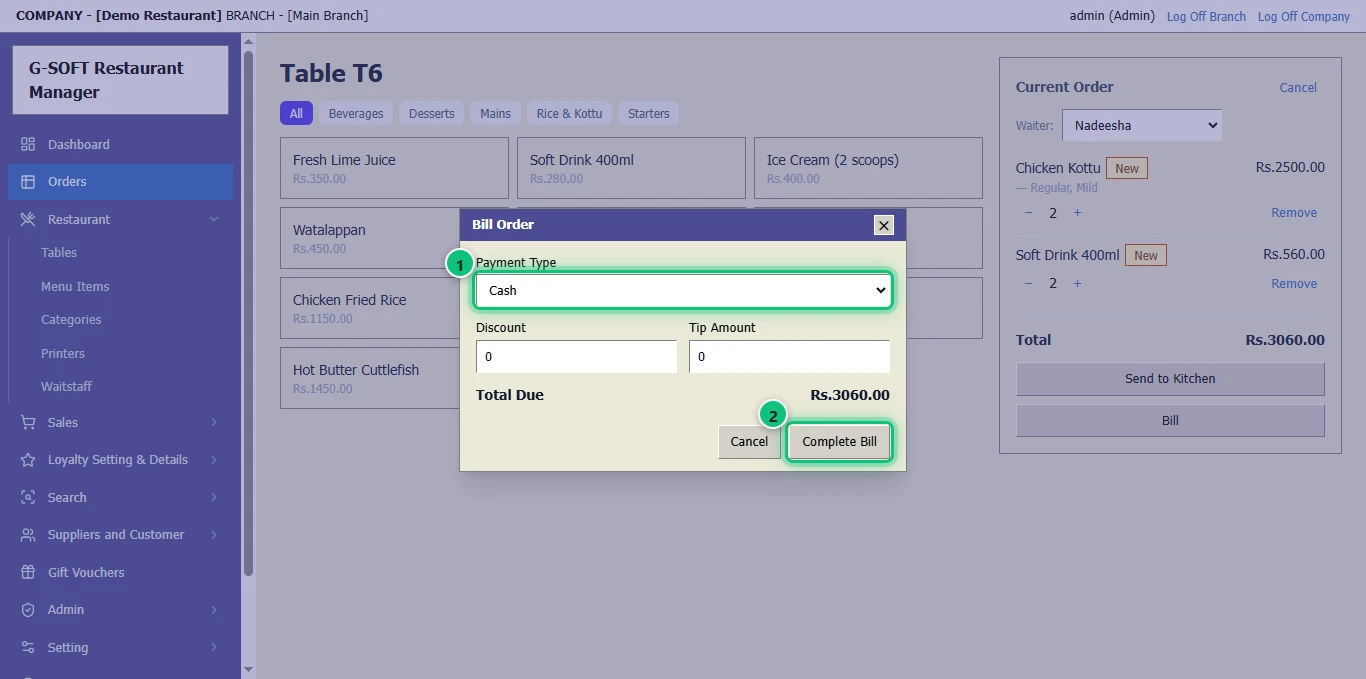
- Choose the Payment Type 1: Cash, Card, Bank Transfer, Cheque, Credit or Gift Voucher. Add the customer, a discount or a tip if needed.
- Click Complete Bill 2. The bill is saved, the table is free again, and the bill opens to print.
- Payment Type 1 තෝරන්න: Cash, Card, Bank Transfer, Cheque, Credit හෝ Gift Voucher. අවශ්ය නම් ගනුදෙනුකරු, වට්ටමක් හෝ ටිප් එකක් එක් කරන්න.
- Complete Bill 2 ක්ලික් කරන්න. බිල සුරැකී, මේසය නැවත නිදහස් වන අතර බිල මුද්රණයට විවෘත වේ.
Step 4 of 4පියවර 4 / 4
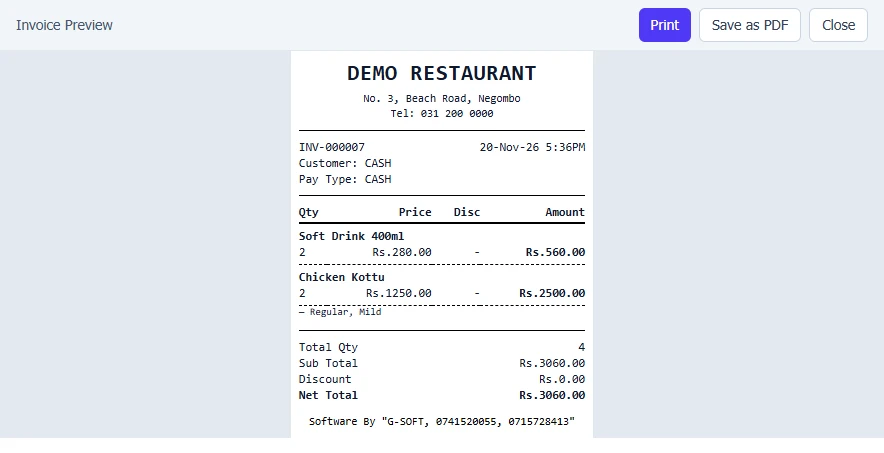
- The printed bill.
- මුද්රිත බිල.