
Home / Help / G-SOFT Restaurant Manager
Topic 7 of 15මාතෘකාව 7 / 15
Kitchen printers and waiters
Set up the kitchen printer that receives the orders, and add your waiters so each table can be assigned.
Step 1 of 2පියවර 1 / 2
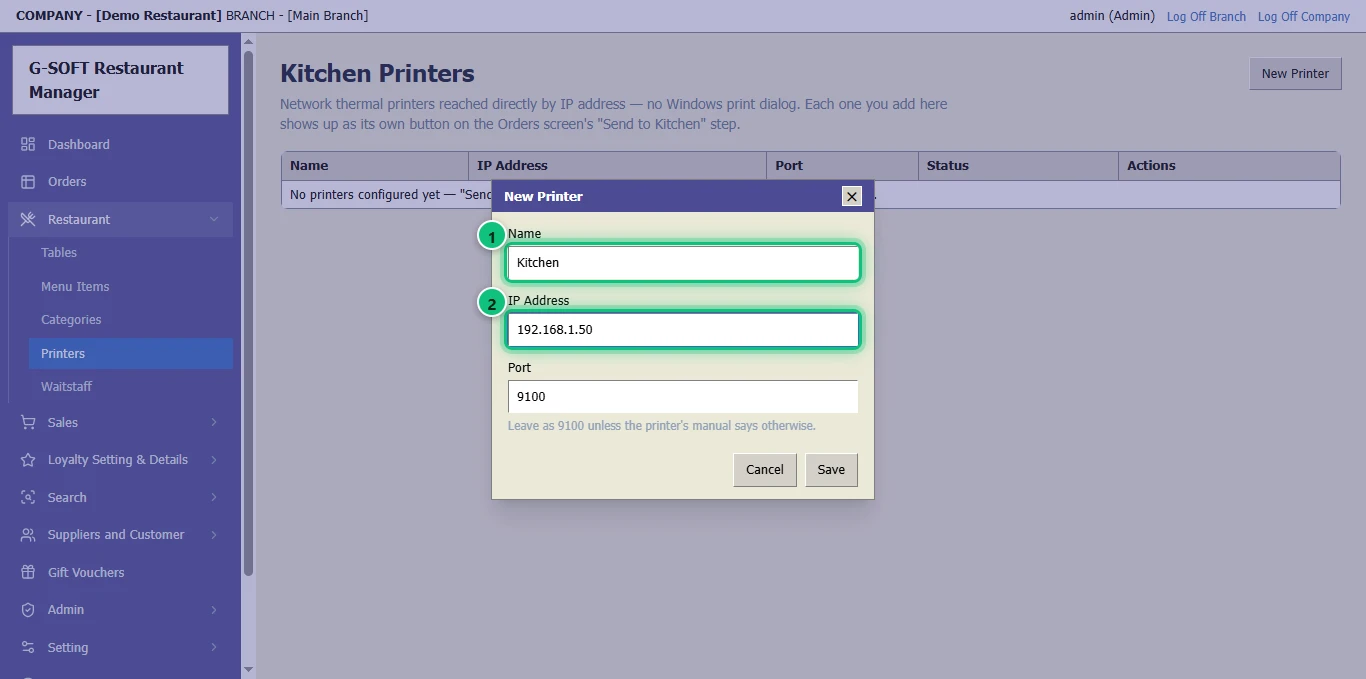
- Open Restaurant → Printers and click New Printer.
- Type a name 1 and the printer’s IP address 2 on your network (port 9100 is usual). Save, then use Test to print a test ticket.
- Restaurant → Printers විවෘත කර New Printer ක්ලික් කරන්න.
- නමක් 1 සහ ඔබේ ජාලයේ මුද්රණ යන්ත්රයේ IP ලිපිනය 2 ටයිප් කරන්න (සාමාන්යයෙන් port 9100). සුරකින්න, ඉන්පසු පරීක්ෂණ ටිකට්පතක් මුද්රණය කිරීමට Test භාවිතා කරන්න.
Step 2 of 2පියවර 2 / 2
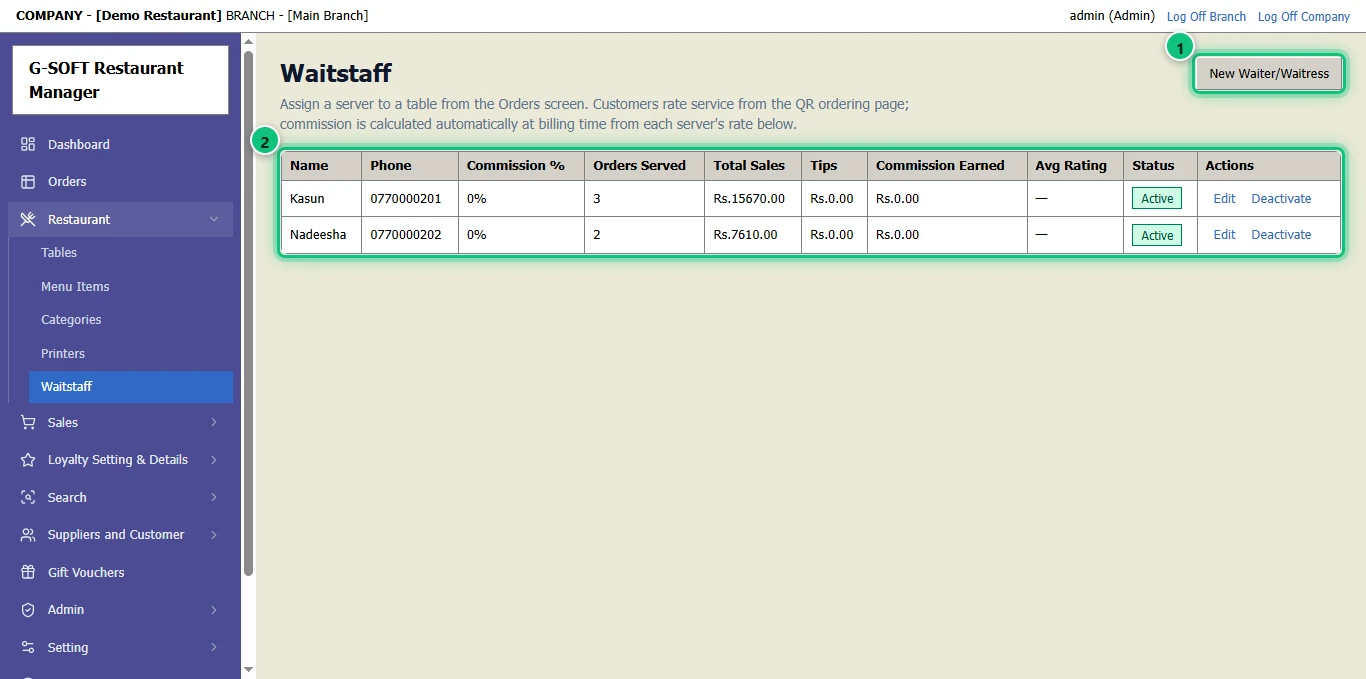
- Open Restaurant → Waitstaff. New Waiter/Waitress 1 adds a waiter with an optional commission.
- Your waiters are listed 2. On each table’s order, choose who is serving it.
- Restaurant → Waitstaff විවෘත කරන්න. New Waiter/Waitress 1 අත්යවශ්ය නොවන කොමිස් සමඟ වේටර් කෙනෙකු එක් කරයි.
- ඔබේ වේටර්වරු ලැයිස්තුගත වේ 2. සෑම මේසයකම ඇණවුමේ සේවය කරන්නා තෝරන්න.