
Home / Help / G-SOFT Channeling Center
Topic 10 of 12මාතෘකාව 10 / 12
Phone and TV access
Let doctors see their patient list on their phones, and show the queue on TVs, over your Wi-Fi.
Step 1 of 1පියවර 1 / 1
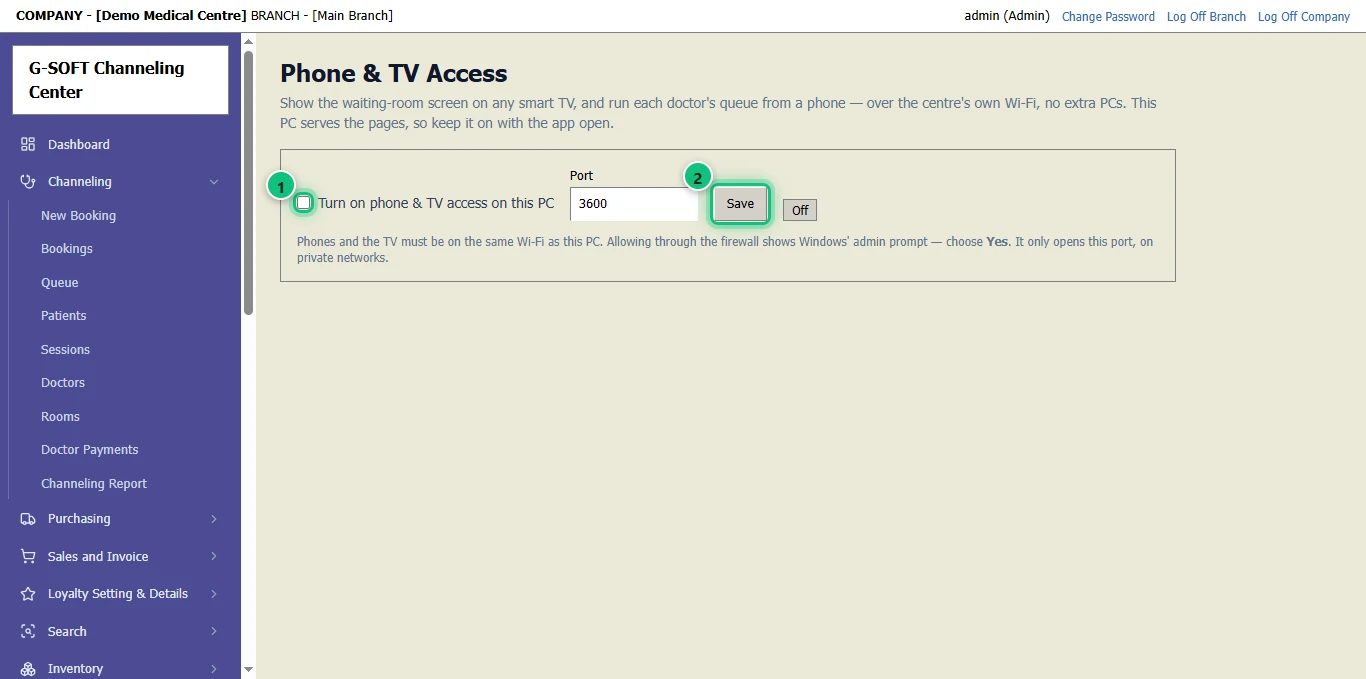
- Open Setting → Phone & TV Access.
- Tick Turn on phone & TV access 1 on the main PC and click Save 2. The page then shows the addresses to open on a phone or a TV on the same Wi-Fi.
- Setting → Phone & TV Access විවෘත කරන්න.
- ප්රධාන පරිගණකයේ Turn on phone & TV access 1 සලකුණු කර Save 2 ක්ලික් කරන්න. එවිට එකම Wi-Fi හි ඇති දුරකථනයක හෝ TV එකක විවෘත කළ යුතු ලිපින පිටුව පෙන්වයි.