
Home / Help / G-SOFT Channeling Center
Topic 9 of 12මාතෘකාව 9 / 12
Doctor payments and the daily report
See what each doctor is owed for their sessions, pay them, and close the day with the channeling report.
Step 1 of 2පියවර 1 / 2
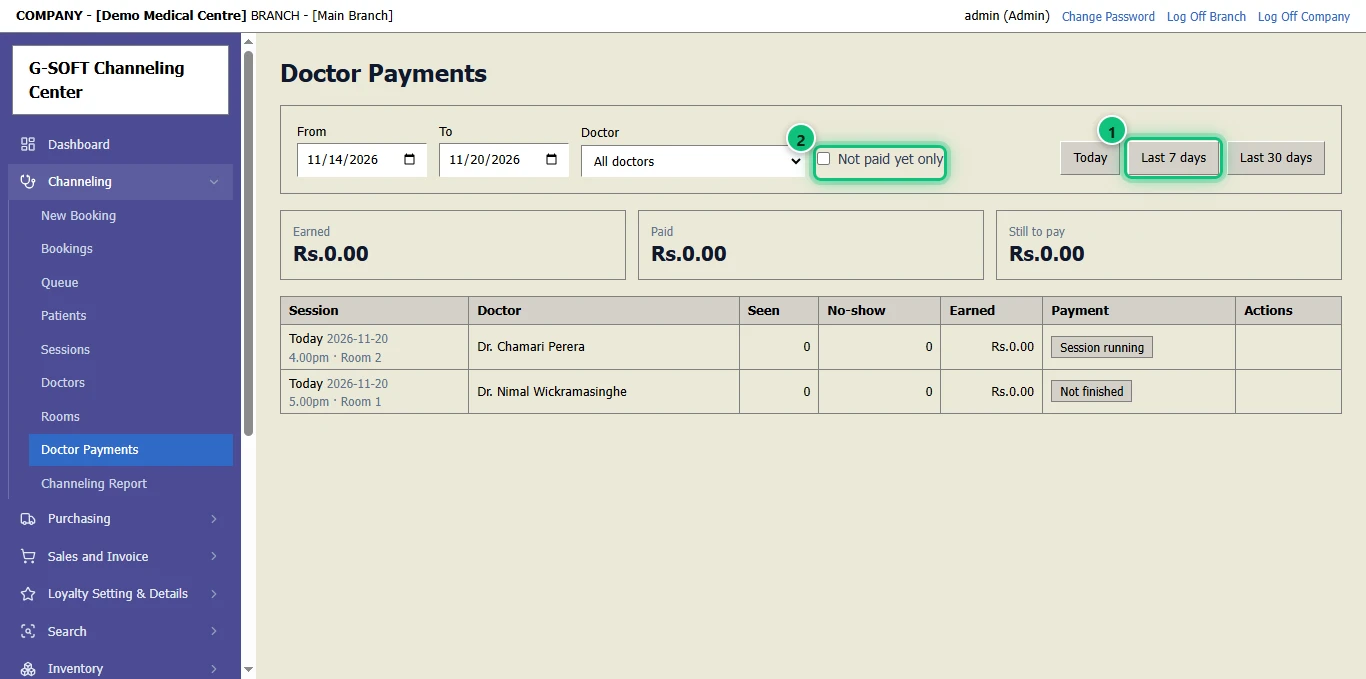
- Open Channeling → Doctor Payments. Choose the dates 1 and, if you like, Not paid yet only 2.
- Each completed session shows the doctor’s share. Pay it and it is marked paid.
- Channeling → Doctor Payments විවෘත කරන්න. දින 1 තෝරා, අවශ්ය නම් Not paid yet only 2 තෝරන්න.
- සම්පූර්ණ කළ සෑම සැසියක්ම වෛද්යවරයාගේ කොටස පෙන්වයි. එය ගෙවූ විට ගෙවූ ලෙස සලකුණු වේ.
Step 2 of 2පියවර 2 / 2
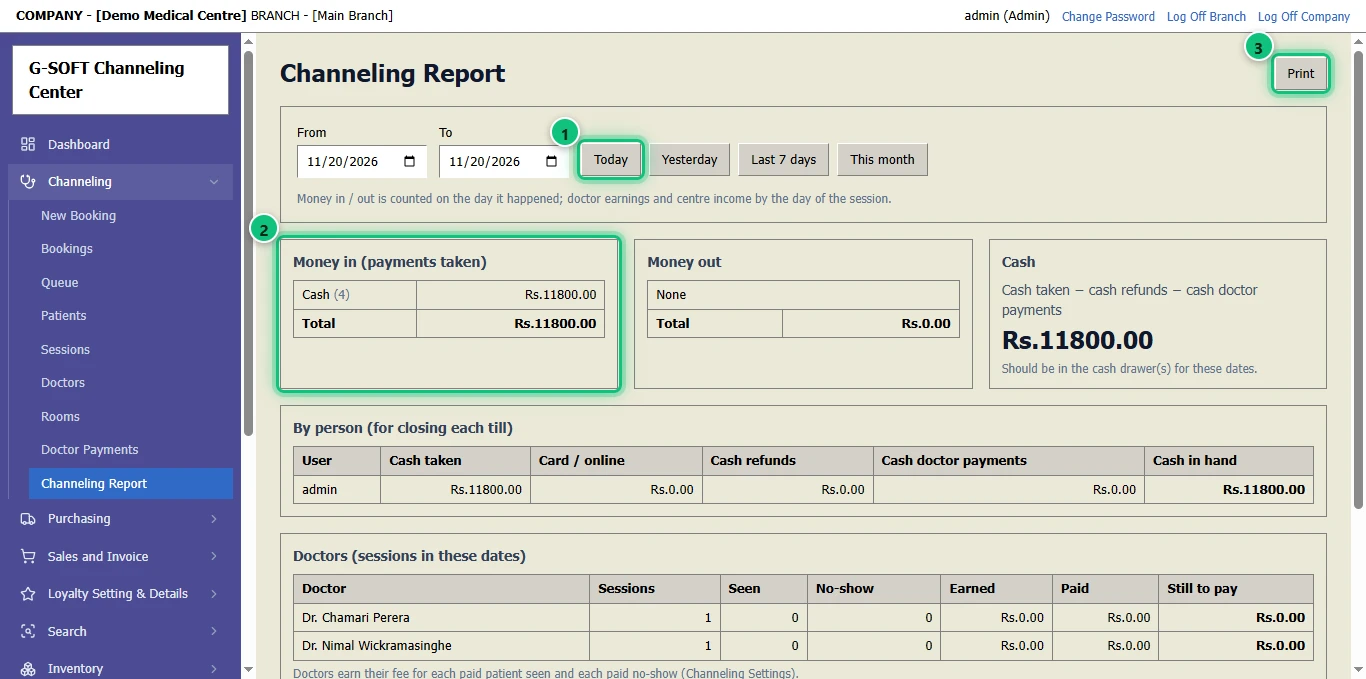
- Open Channeling → Channeling Report and choose the dates 1.
- It shows the money taken 2 and paid out, the cash, a total for each person (to close each till), each doctor’s sessions and the centre’s income.
- Print 3 prints it.
- Channeling Report විවෘත කර දින 1 තෝරන්න.
- එය ලැබුණු මුදල 2 සහ ගෙවූ මුදල, මුදල් ශේෂය, සෑම පුද්ගලයෙකුටම එකතුව (සෑම කවුන්ටරයක්ම වසා දැමීමට), සෑම වෛද්යවරයෙකුගේම සැසි සහ මධ්යස්ථානයේ ආදායම පෙන්වයි.
- Print 3 එය මුද්රණය කරයි.