
Home / Help / G-SOFT Play Zone
Topic 14 of 16මාතෘකාව 14 / 16
Opening hours and holidays
Set when you are open. The program warns before closing time and when a booking falls outside opening hours or on a holiday.
Step 1 of 2පියවර 1 / 2
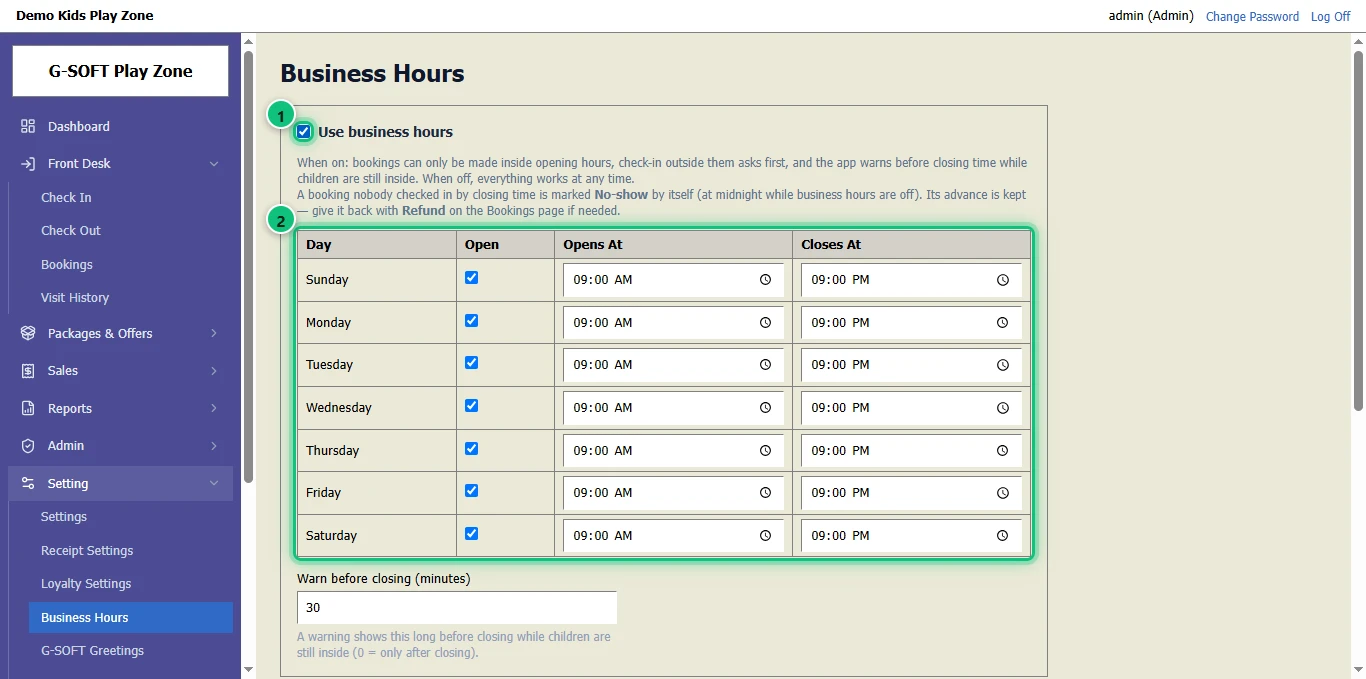
- Open Setting → Business Hours.
- Tick Use business hours 1.
- For each day 2, tick it if you are open and set the opening and closing time.
- Setting → Business Hours විවෘත කරන්න.
- Use business hours 1 සලකුණු කරන්න.
- සෑම දිනකටම 2, විවෘත නම් සලකුණු කර විවෘත සහ වසන වේලාව දෙන්න.
Step 2 of 2පියවර 2 / 2
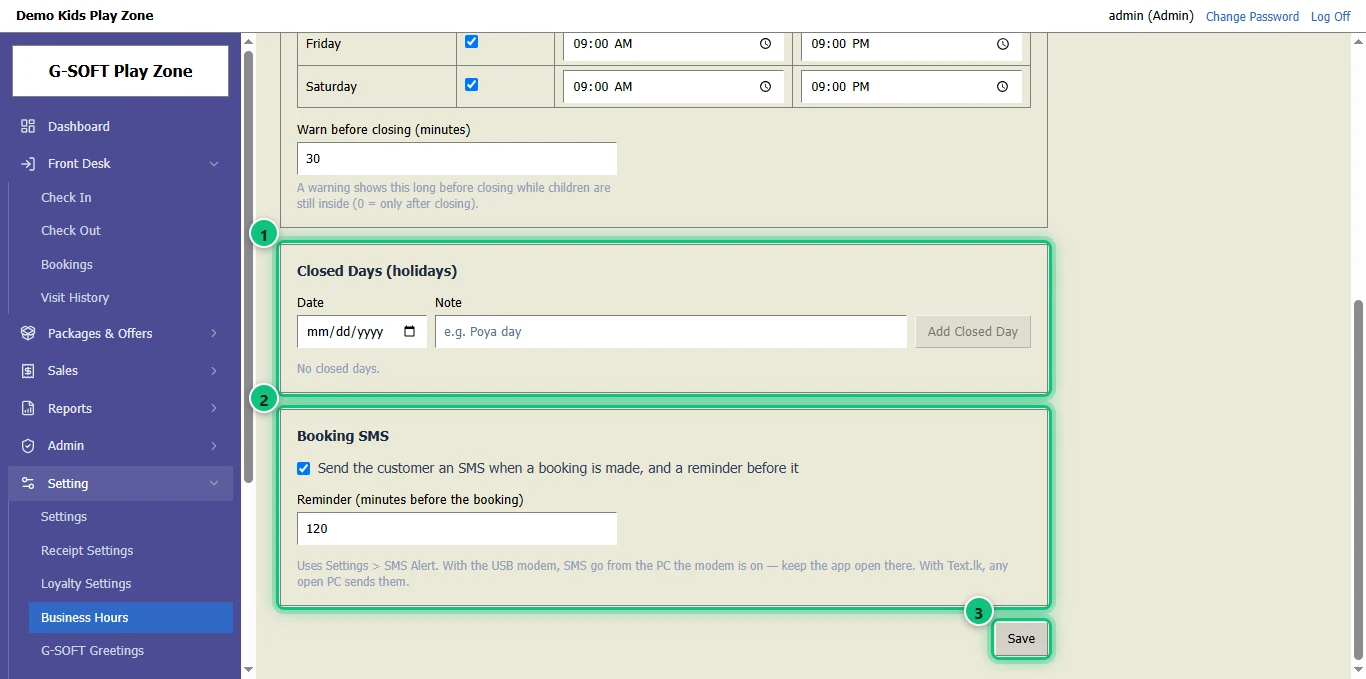
- Closed Days 1: add holidays such as Poya days with Add Closed Day.
- Booking SMS 2: send the customer an SMS when a booking is made, and a reminder before it.
- Click Save 3.
- Closed Days 1: පොහොය දින වැනි නිවාඩු Add Closed Day මගින් එක් කරන්න.
- Booking SMS 2: වෙන්කිරීමක් කළ විට සහ ඊට පෙර සිහිකැඳවීමක් ලෙස ගනුදෙනුකරුට SMS එකක් යවන්න.
- Save 3 ක්ලික් කරන්න.