
Home / Help / G-SOFT Inventory Management System
Topic 3 of 14මාතෘකාව 3 / 14
Enter your licence key
The program works free for 30 days. Enter the licence key from G-SOFT to keep using it — nothing else changes and no data is lost.
Step 1 of 2පියවර 1 / 2
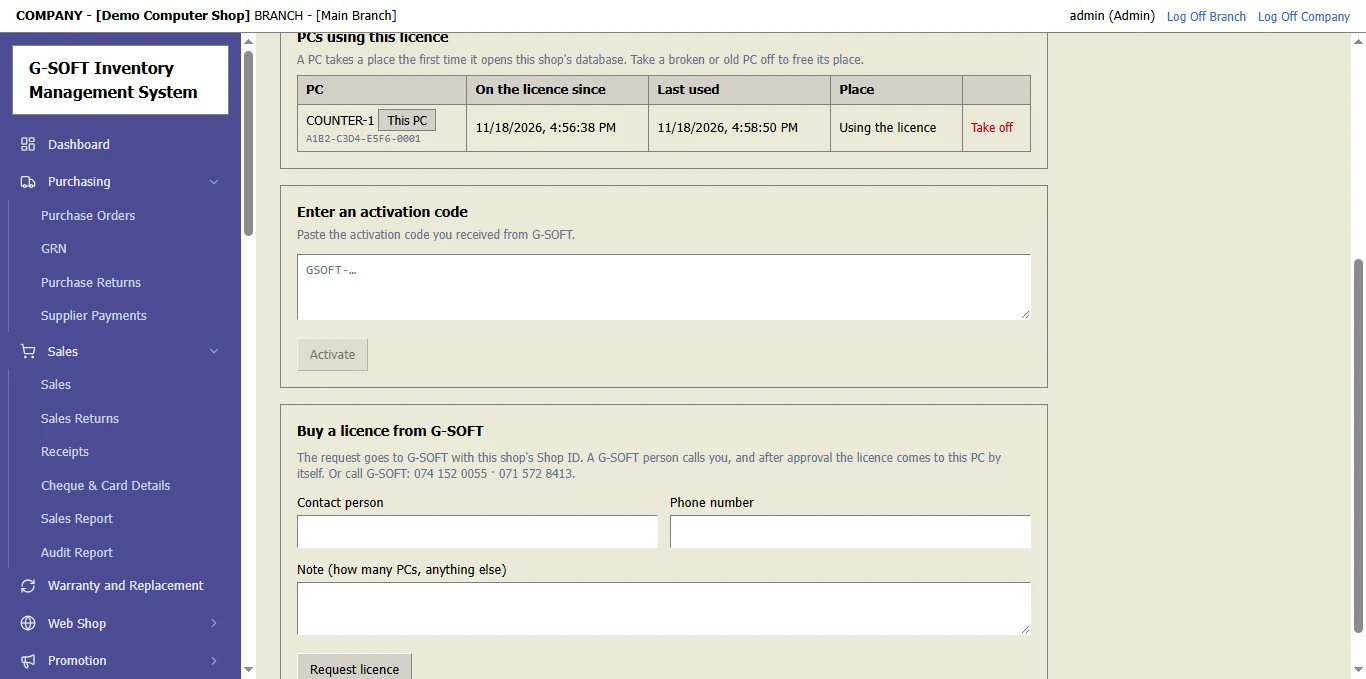
- Open Setting → Licence.
- The state 1 shows whether you are on the trial, licensed, or view only, and for how long.
- Your Shop ID 2 — G-SOFT may ask for it when you buy a licence.
- Setting → Licence විවෘත කරන්න.
- තත්ත්වය 1 ඔබ අත්හදා බැලීමේද, බලපත්ර ලබා ඇත්ද, නැතහොත් බැලීමට පමණක්ද, කොපමණ කලක්ද යන්න පෙන්වයි.
- ඔබේ Shop ID 2 — බලපත්රයක් මිලදී ගන්නා විට G-SOFT එය ඉල්ලිය හැක.
Step 2 of 2පියවර 2 / 2
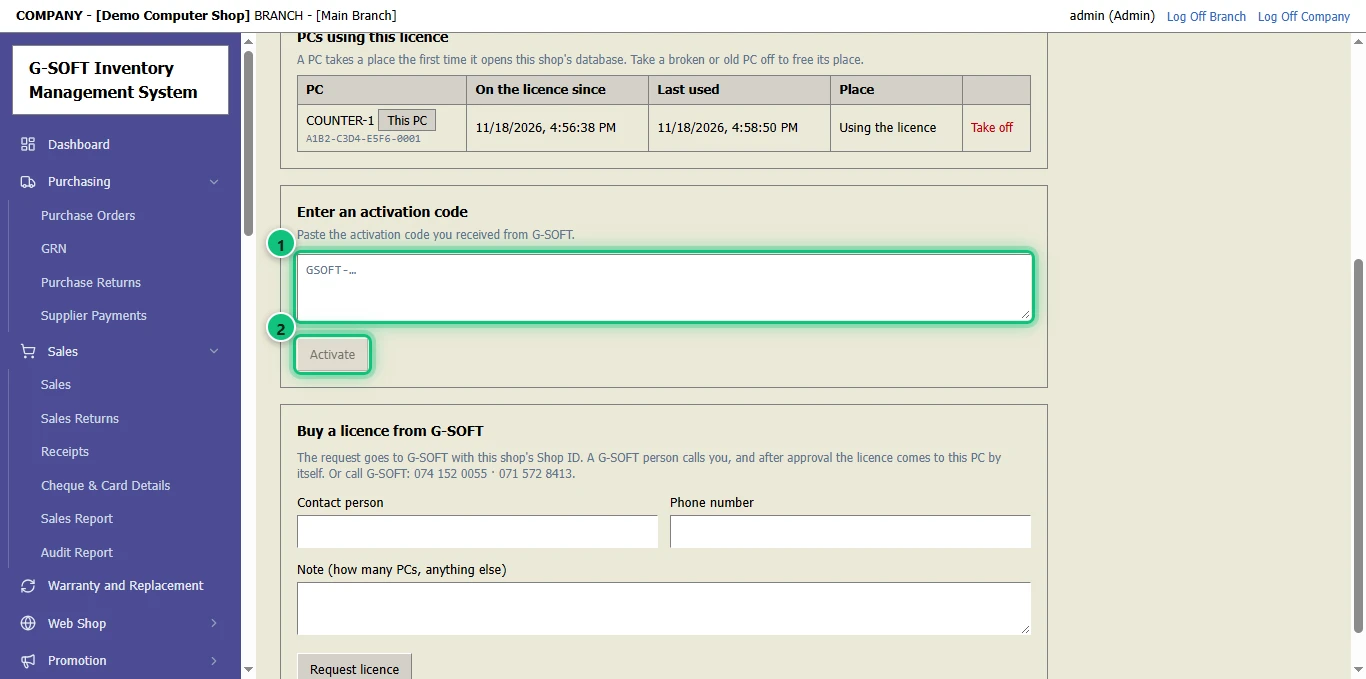
- Paste the key G-SOFT sends you (it starts with GSOFT-) into the box 1.
- Click Activate 2. It works on every PC of your shop.
- No key yet? Fill in Buy a licence from G-SOFT below and click Request licence — or call 074 152 0055.
- G-SOFT එවන යතුර (GSOFT- වලින් ආරම්භ වේ) කොටුවට 1 අලවන්න.
- Activate 2 ක්ලික් කරන්න. එය ඔබේ සාප්පුවේ සෑම පරිගණකයකම ක්රියා කරයි.
- තවම යතුරක් නැද්ද? පහත Buy a licence from G-SOFT පුරවා Request licence ක්ලික් කරන්න — නැතහොත් 074 152 0055 අමතන්න.