
Home / Help / G-SOFT Channeling Center
Topic 5 of 12මාතෘකාව 5 / 12
Run the session (queue)
On the day, mark the doctor arrived, start the session and call patients one by one. The TV in the waiting area shows the number being called.
Step 1 of 3පියවර 1 / 3
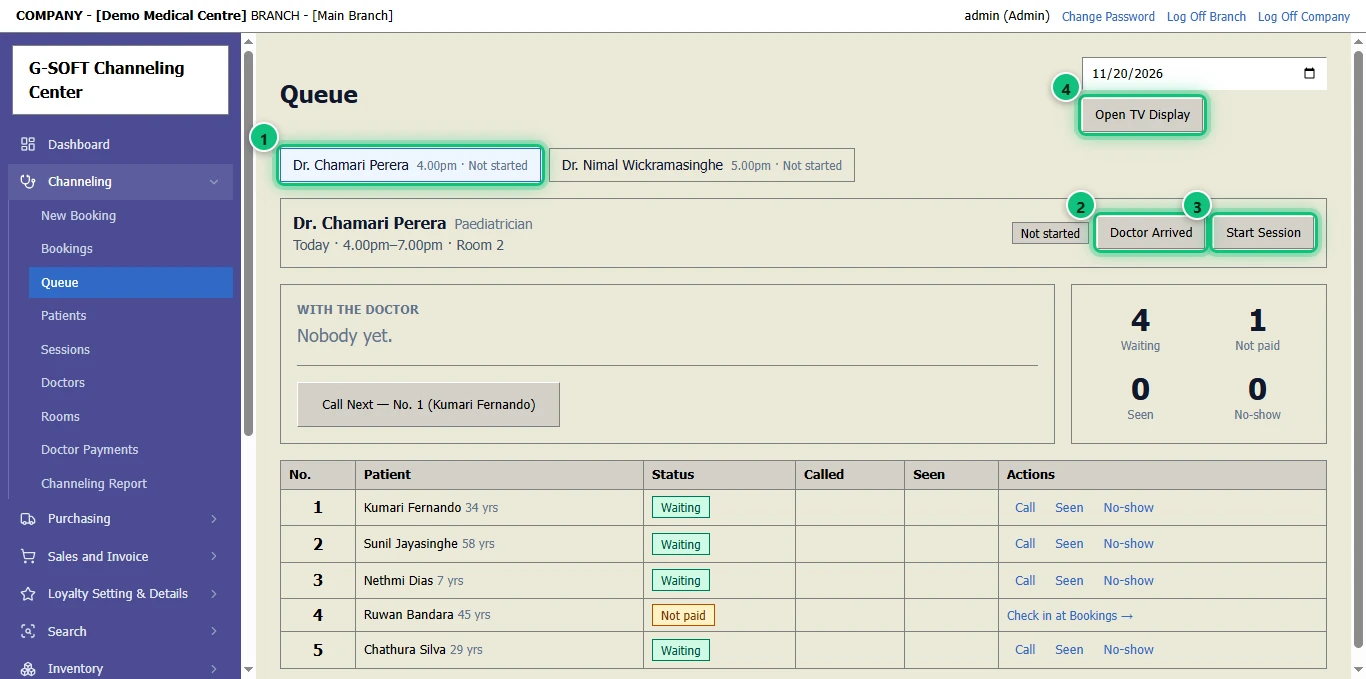
- Open Channeling → Queue and choose the session 1.
- Click Doctor Arrived 2 when the doctor comes, then Start Session 3.
- Open TV Display 4 opens the waiting-room screen on a second monitor or TV.
- Queue විවෘත කර සැසිය 1 තෝරන්න.
- වෛද්යවරයා පැමිණි විට Doctor Arrived 2, ඉන්පසු Start Session 3 ක්ලික් කරන්න.
- Open TV Display 4 පොරොත්තු කාමරයේ තිරය දෙවන මොනිටරයක හෝ TV එකක විවෘත කරයි.
Step 2 of 3පියවර 2 / 3
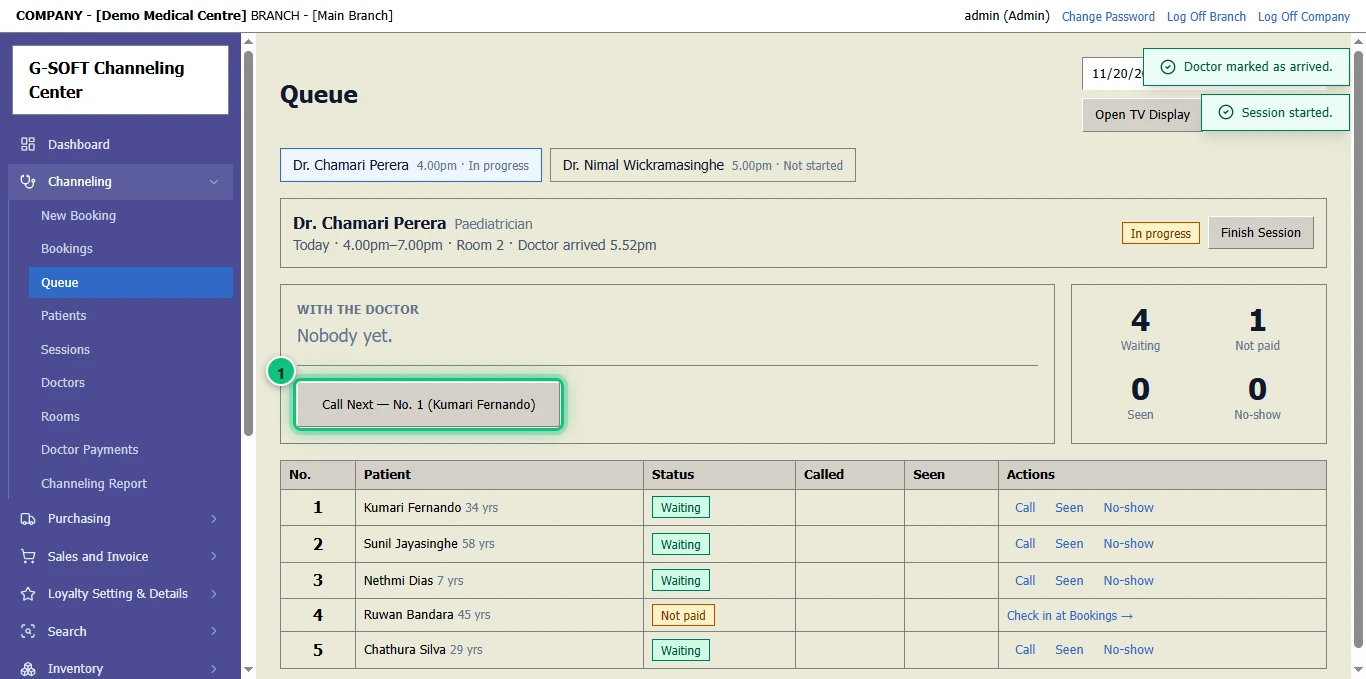
- Click Call Next 1 to call the next patient in number order. Their number shows on the TV and is announced.
- When the doctor has seen them, click Seen. No-show marks a patient who did not come; Call calls a particular patient.
- ඊළඟ රෝගියා අංක පිළිවෙළට ඇමතීමට Call Next 1 ක්ලික් කරන්න. ඔවුන්ගේ අංකය TV එකේ පෙන්වා නිවේදනය කරයි.
- වෛද්යවරයා ඔවුන් බැලූ පසු Seen ක්ලික් කරන්න. No-show නොපැමිණි රෝගියෙකු සලකුණු කරයි; Call නිශ්චිත රෝගියෙකු අමතයි.
Step 3 of 3පියවර 3 / 3
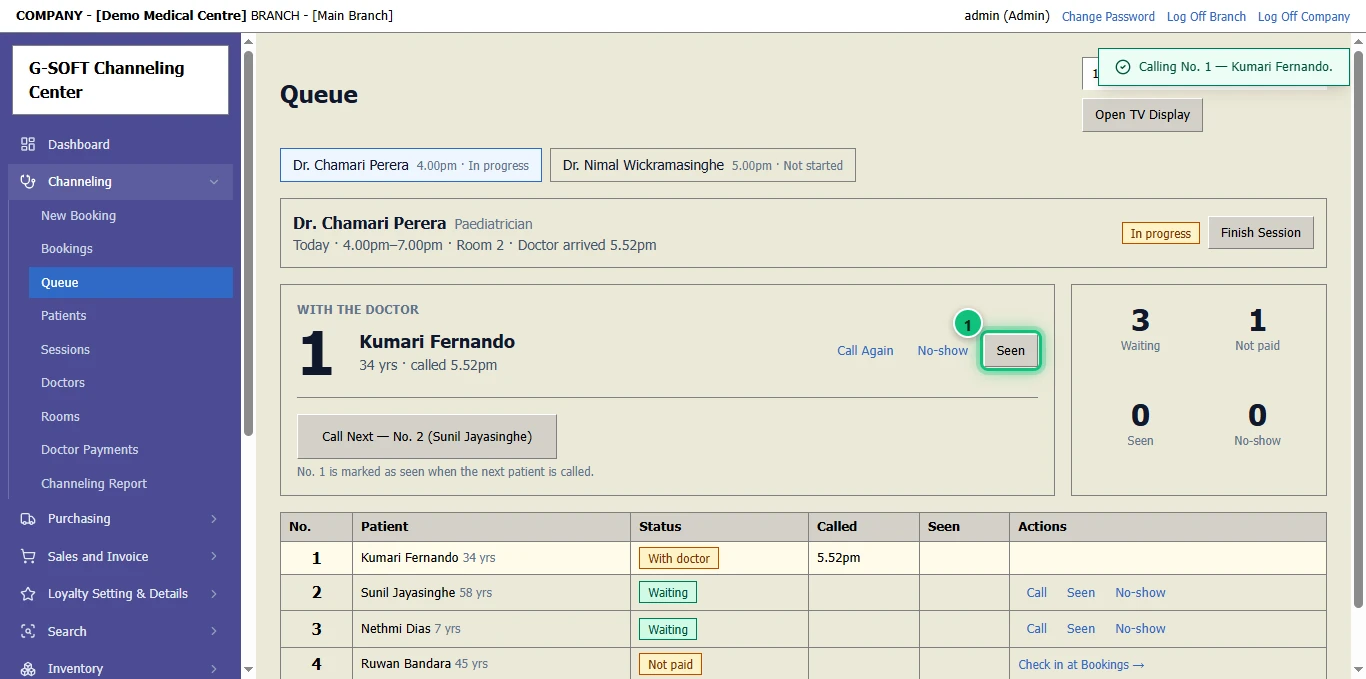
- The patient being seen is shown at the top. Click Seen 1 when they are done, then Call Next again. At the end, Finish Session closes it and the doctor’s payment is worked out.
- බලමින් සිටින රෝගියා ඉහළින් පෙන්වයි. අවසන් වූ විට Seen 1 ක්ලික් කර නැවත Call Next ක්ලික් කරන්න. අවසානයේ Finish Session එය වසා වෛද්ය ගෙවීම ගණනය කරයි.